Turn jam sessions into playable music
STEMWORKS scans long multitrack jams, pulls out songs and loops, estimates tempo and key, and lays everything out on a timeline you can edit.
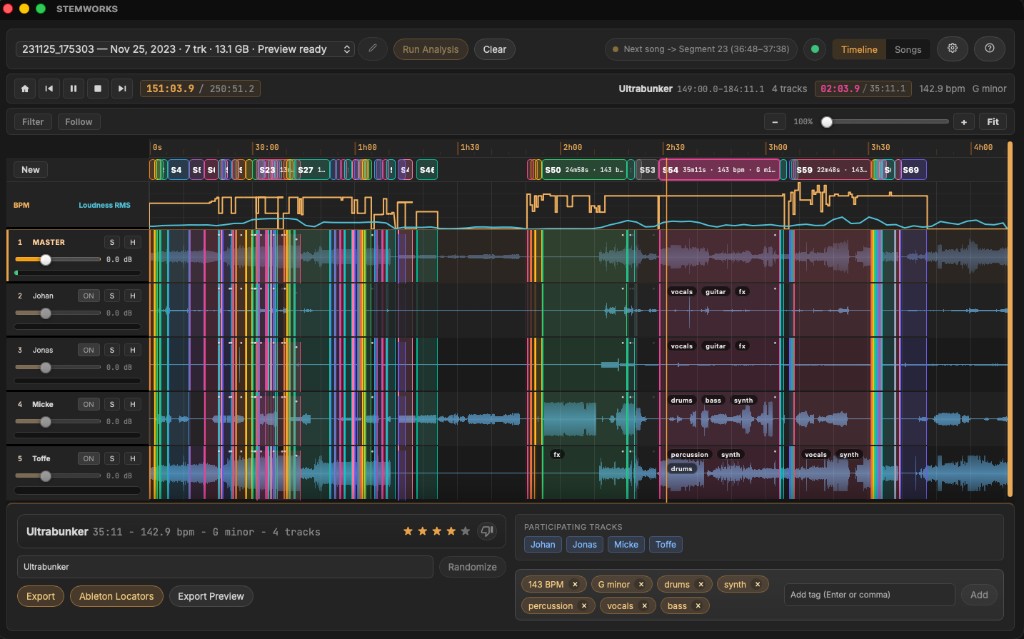
STEMWORKS scans long multitrack jams, pulls out songs and loops, estimates tempo and key, and lays everything out on a timeline you can edit.
Import long multitrack recordings, find the parts that matter, and keep the audio on your own machine.
Finds songs, loops, and transitions in long recordings by reading musical structure instead of raw level changes.
Per-segment BPM, key, and chord hints bring you back to the sections worth finishing.
See every track as a waveform. Solo, mute, trim, and audition sections in the desktop app.
Track tags help you jump back to the bass part, vocal pass, or drum groove you want to keep.
Snap edits to transients and beats when you cut loops and samples.
Your audio stays on your machine. STEMWORKS runs analysis locally and does not upload stems.
Import the folder, run analysis, and export the sections you want to keep.
Point STEMWORKS at a folder of multitrack audio files from your DAW or recorder. It handles split files and stereo pairs and keeps the audio local.
STEMWORKS finds sections, estimates tempo, key, and chords, maps active tracks, tags instruments, and builds waveform data for the timeline.
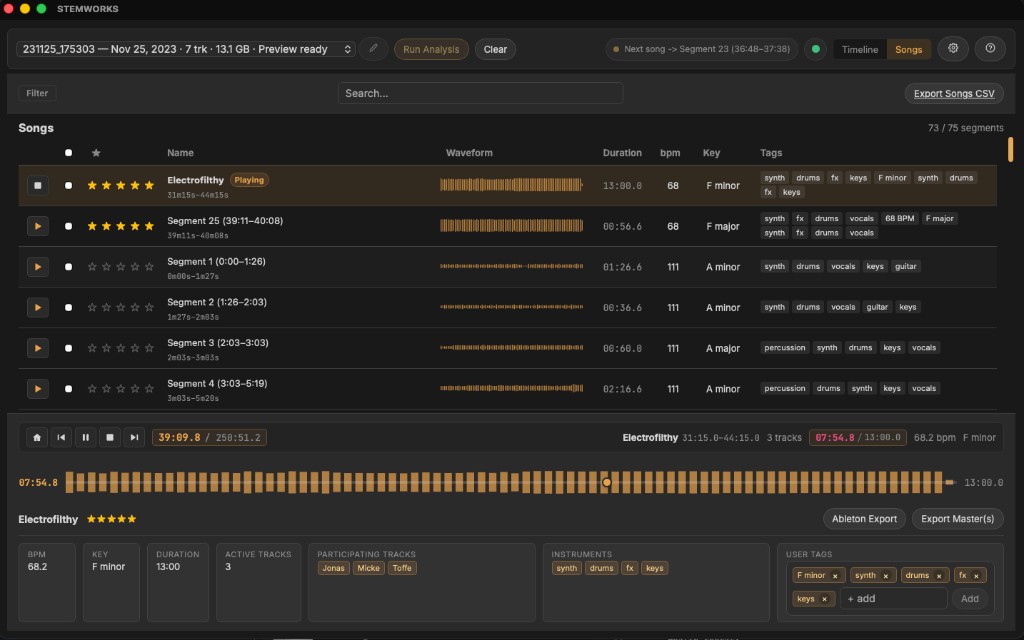
Review songs with BPM, key, and chord hints, audition segments, rate ideas, and export the best parts to Ableton Live, Logic Pro, FL Studio, Studio One, Bitwig, Pro Tools, or video editors.
Use one checkout page, then recover your key later through My Orders.
Already purchased? Recover your key
Buy STEMWORKS when you are ready, or email if you need help before you decide.
Buy STEMWORKS